
【项目】Vue3+TS CMS 登录模块搭建
迪丽瓦拉
2024-05-26 08:47:44
0次
💭💭
✨:Vue3 + TS
💟:东非不开森的主页
💜: keep going💜💜
🌸: 如有错误或不足之处,希望可以指正,非常感谢😉
Vue3+TS
- 一、搭建登录页
- 二、账号密码框提示和校验
- 2.1.父组件点击login调用子组件
- 2.2.elmessage
- 2.3.数据放在store里
- 2.4. 保存token
一、搭建登录页
我们可以给主屏宽高用vhvw设置,这样就可以撑满整个屏幕

- 使用element-plus
- tabs进行切换
- 可以用插槽自定义内容
当然要多看看官方文档,看看每个属性的意思


- 然后我们可以把信息抽成一个组件

- 效果如下

二、账号密码框提示和校验
- 通过在form绑定规则还有账户,那么下一级通过prop绑定对应的属性,就可以进行对应验证

- rules:表单验证规则
- prop :model 的键名。 它可以是一个路径数组(例如 [‘a’, ‘b’, 0])。 在定义了 validate、resetFields 的方法时,该属性是必填的
- required: 是否为必填项,如不设置,则会根据校验规则确认
- trigger: 验证逻辑的触发方式
- status-icon: 是否在输入框中显示校验结果反馈图标


2.1.父组件点击login调用子组件
父组件
给子组件绑定ref
ref


- 调用子组件的登录操作

子组件

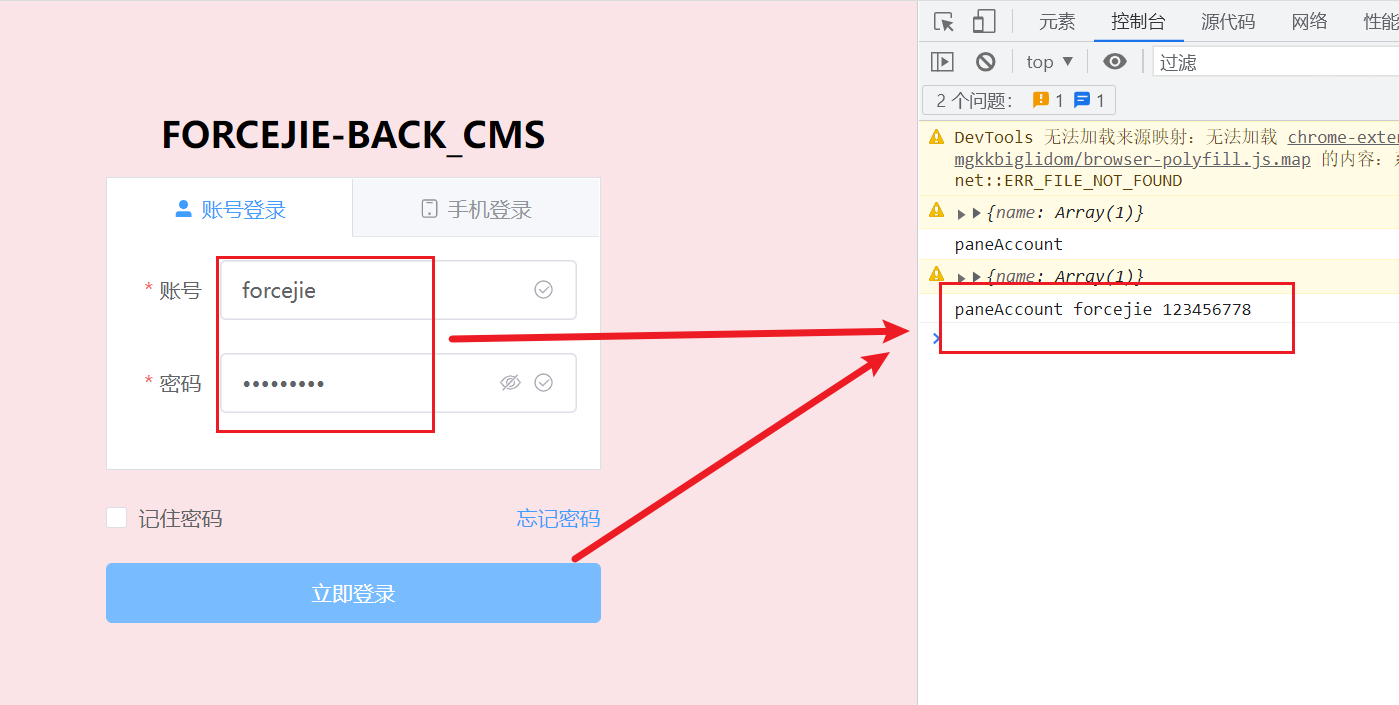
2.2.elmessage

三种引用方法
- 针对ElMessage和ElLoading等组件引入样式
- 1.全局引入样式(所有样式全部引入)
在main.ts里面
import 'element-plus/dist/index.css'
- 组件样式引入
import 'element-plus/theme-chalk/el-message.css'
- 使用vite-plugin-style-import
vite-plugin-style-import: github地址

npm install vite-plugin-style-import consola -D
- 在vite.config.ts中配置

import {createStyleImportPlugin,ElementPlusResolve
} from "vite-plugin-style-import"createStyleImportPlugin({resolves: [ElementPlusResolve()],libs: [// 如果没有你需要的resolve,可以在lib内直接写,也可以给我们提供PR{libraryName: "element-plus",esModule: true,resolveStyle: (name: string) => {return `element-plus/theme-chalk/${name}.css`}}]})


2.3.数据放在store里
- 请求数据保存在store里面
- 网络请求也要是在store里面


添加类型
可以在使用的地方进行导入

2.4. 保存token
实现登录时,token如何保存的?如何保证刷新后token依然存在?
我们可以用localStorage
localStorage和sessionStorage: mdn

因为我们可能用localStorage,也可能用sessionStorage,所以我们可以把它们封装成一个工具,使其更具备通用性
enum CacheType {Local,Session
}class Cache {storage: Storageconstructor(type: CacheType) {this.storage = type === CacheType.Local ? localStorage : sessionStorage}setCache(key: string, value: any) {if (value) {this.storage.setItem(key, JSON.stringify(value))}}getCache(key: string) {const value = this.storage.getItem(key)if (value) {return JSON.parse(value)}}removeCache(key: string) {this.storage.removeItem(key)}clear() {this.storage.clear()}
}const localCache = new Cache(CacheType.Local)
const sessionCache = new Cache(CacheType.Session)export { localCache, sessionCache }
相关内容
热门资讯
Linux-scheduler...
四、调度域 SDTL结构 linux内核使用SDTL结构体来组织CPU的层次关系 struct sc...
leetcode - 2379...
Description You are given a 0-indexed string block...
Retinanet网络与foc...
参考代码:https://github.com/yhenon/pytorch-reti...